

When Excel is perfectly fine
Let’s be honest first. Plenty of good boutiques run on a spreadsheet, and there is nothing wrong with that. Excel (or Google Sheets) is a fine choice when:
- You are the owner, the cutting master and the person at the counter, all in one.
- You take a few blouse or kurti orders a week, not dozens.
- You remember most of your regular clients and their sizes.
- Payments are mostly settled on the day of delivery.
In that case, a sheet with columns for client name, phone, garment, trial date, delivery date, advance and balance does the job. It is free, you already know it, and you can change it any time.
Where the spreadsheet starts to break
The trouble usually starts slowly, and then all at once during the wedding season or the Diwali rush.
More than one person edits it. Your master updates one copy, your helper updates another on WhatsApp, and you have three versions of “orders_final_new.xlsx”. Nobody is sure which one is right.
Measurements get messy. One row per client works until a client wants a blouse in October and a lehenga in December, and her size has changed. Now you are adding columns like “bust 2” and “waist new”.
One order, many garments. A bridal order can have a lehenga, two blouses and a dupatta with fall-pico. Each moves at its own pace. A single row can’t show that the blouse is stitched but the lehenga is still at embroidery.
Karigars can’t see their work. You end up printing slips or sending voice notes to tell each karigar what to stitch next, and then calling to ask if it’s done.
Follow-up falls through. Excel won’t remind you that ₹4,500 is still due from last month’s order, or message the client that her suit is ready.
Excel vs VogueDesk at a glance
| What you need | Excel or Google Sheets | VogueDesk |
|---|---|---|
| Cost | Free or already paid for | Free plan ₹0; paid from ₹499/month + GST |
| Client measurements | One row, columns you design | Dated measurement sets per client, about 30 fields |
| One order with many garments | Hard to show in one row | Each order holds several garments |
| Production stages | A status column you type | Your own stages (cutting, stitching, embroidery, finishing) per garment |
| Karigar tasks | Printed slips or calls | Assignments board each karigar sees on their phone |
| Advances and balances | Formulas you maintain | Advances carry onto the GST invoice; partial payments shown |
| GST invoices | Separate template | GST invoices with HSN codes and GSTR reports |
| Telling the client | You call or WhatsApp by hand | Order-tracking link and automatic WhatsApp updates |
| Staff access | Everyone sees everything | Roles, so each person sees only what they need |
| Works on phone | Yes, but fiddly to edit | Works in the phone browser |
What changes when you switch
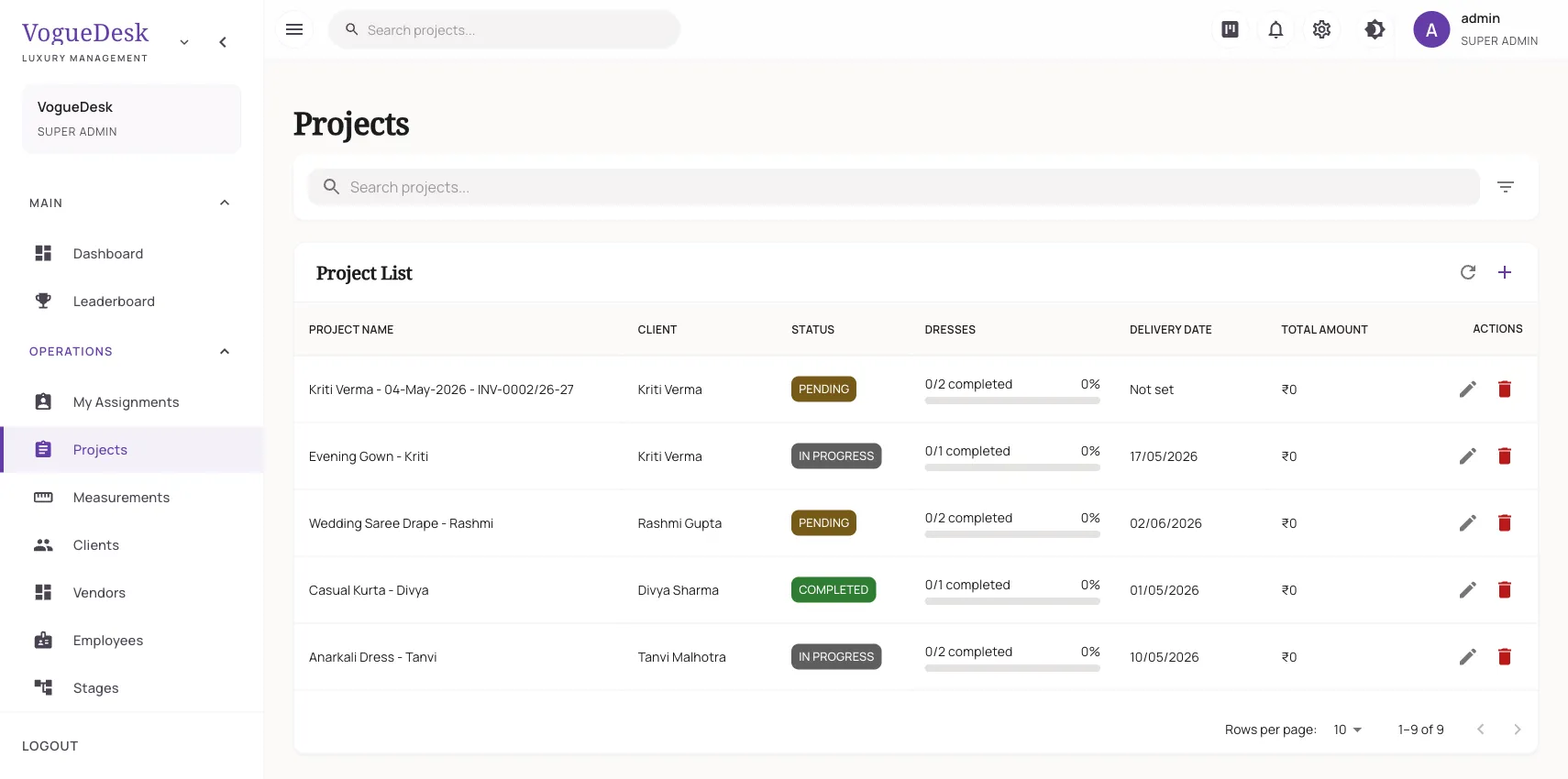
With VogueDesk, each client has a profile with her dated measurement sets, so the October blouse and December lehenga sizes sit side by side. An order holds every garment, and each garment moves through the stages you set up. Your karigars see their own tasks on an assignments board and mark them started or done, which is covered on the karigar management page.
The dashboard shows upcoming deliveries for the next 30 days and pending payments, so the ₹4,500 balance doesn’t slip. When an order is ready, the client can get a WhatsApp message from your own business number.
Moving your sheet across
You don’t have to retype years of work. VogueDesk can import clients, measurements, employees and dresses from your sheet once you save it as CSV. The import analyser reads your column names and helps match them to the right fields. Measurement fields are a fixed set, so a column like “chest” maps to the closest field, such as upper chest or bust. Read more on importing from Tally and Excel.
A simple way to decide
Stay on Excel if you work alone, have few orders and rarely chase payments. Try VogueDesk if you have staff, if more than one person needs the order list, or if the last wedding season left you hunting through sheets at midnight. Every new account gets a 14-day free trial of Studio with no card, so you can import a copy of your sheet and see for yourself. Details are on the pricing page.
Frequently asked questions
Is Excel good enough for a small boutique?
Yes, if you work alone or with one helper and take only a few orders a week. A simple sheet with client, garment, delivery date, advance and balance can do the job.
Can I move my Excel sheet into VogueDesk?
Yes. You can import clients, measurements, employees and dresses from your sheet once you save it as CSV. An import analyser looks at your columns and helps you map them to VogueDesk fields.
Can I still export or keep using Excel alongside VogueDesk?
Many owners keep an old sheet for reference while they settle in. Once your clients and measurements are imported, day-to-day orders, stages and invoices are easier to run inside VogueDesk.
Does VogueDesk cost more than Excel?
There is a Free plan at ₹0 for 1 login and 30 orders a month. Paid plans start at ₹499 a month + GST, and every new account gets a 14-day free trial of Studio with no card needed. See the pricing page for full details.
Do my karigars need a computer to use VogueDesk?
No. VogueDesk works in the browser on Android phones, iPhones, tablets and computers, so a karigar can open their own task list on their phone.
Last updated 31 October 2026.