

One place for every order
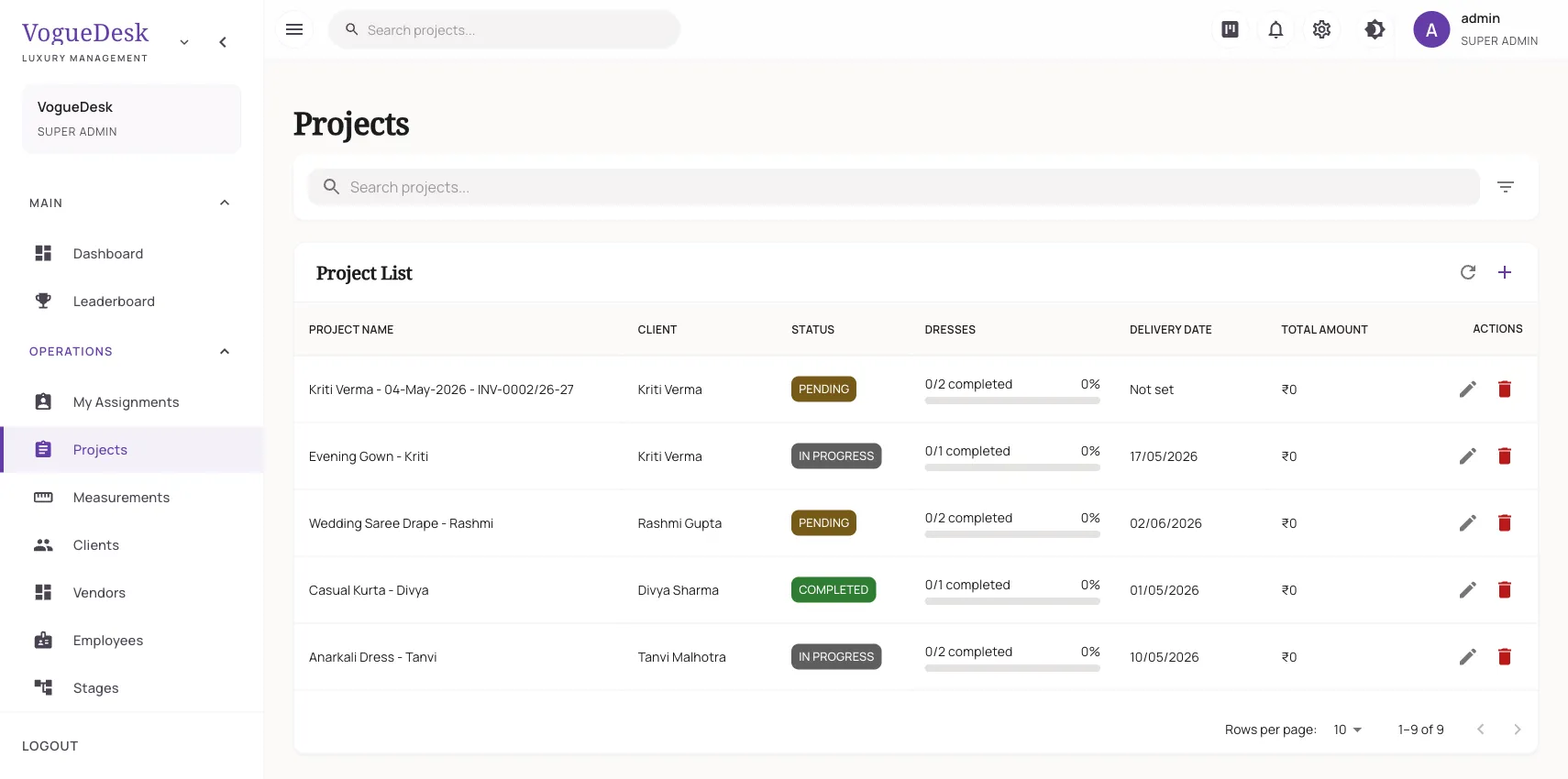
In a busy boutique, orders live in too many places: the order book at the counter, slips pinned to the cutting table, WhatsApp chats and the master’s memory. When a client calls to ask “Is my blouse ready?”, someone has to go and check. Tailoring order management software puts all of it on one screen.
In VogueDesk an order is called a project. The orders list shows the latest orders first, with the order date, so today’s bookings are always on top.
What an order holds
| Part of the order | What you record |
|---|---|
| Client | Linked to her profile, measurements and past orders |
| Garments | One or more, each with its own item name and description |
| Dates | Order date, start date and delivery date |
| Status | Pending, in progress, ready, delivered and so on |
| Money | Advance taken, invoice, payments and balance |
A bridal order might have a lehenga, blouse and dupatta. A regular client might book three kurtis and a salwar suit. Each garment is tracked on its own, so you know the blouse is ready even if the lehenga is still with the embroidery unit.
Your stages, your way
Every workshop works differently. Create the production stages that match yours, such as cutting, stitching, embroidery, finishing and ironing. Each garment moves through them in order, and each stage can be assigned to a karigar. See karigar management for how assignments work.
How it works in VogueDesk
- Pick or add the client and choose her measurement set.
- Add each garment in the order with its name and notes.
- Set the delivery date. VogueDesk can suggest a date based on how much work is already in the pipeline.
- Take the advance and record it on the order.
- Assign stages to your karigars and watch each garment move.
- Mark the order ready, raise the invoice and deliver.
See the whole month at a glance
The dashboard lists upcoming deliveries for the next 30 days, along with today’s work and pending payments. For a bigger picture, the Gantt chart shows orders across dates so you can see where deliveries bunch up before Diwali or a big wedding date. If you want help choosing realistic dates, production capacity planning works out when your team can actually finish.
Keep the client informed
Every order has its own tracking page. The client opens the link and sees her order move from “Order received” to “Being made”, “Ready” and “Delivered”, along with the expected delivery date and how much is left to pay. Read more on order tracking for customers.
Who it is for
- Tailoring shops handling dozens of small orders a day.
- Bridal boutiques where one order has many pieces and several trials.
- Designer studios that send work to outside embroidery or dyeing units.
- Any boutique that keeps missing delivery dates in the wedding season.
If late deliveries are your biggest headache, our guide on reducing delivery delays has practical tips that work with or without software.
Plans
The Free plan (₹0) allows 30 orders a month and Boutique (₹499/month + GST) allows 300. Studio (₹999/month + GST) gives unlimited orders, karigar assignments and time tracking for 10 logins. Every new account gets a 14-day free trial of Studio with no card needed. See pricing.
Frequently asked questions
Can one order have several garments?
Yes. One order can hold several garments, for example a blouse, a lehenga and a dupatta for the same wedding, each with its own name and description. Each garment moves through the stages on its own.
Can I set my own stages like cutting, embroidery and finishing?
Yes. You create your own production stages, such as cutting, stitching, embroidery, finishing and ironing, and each garment moves through them in order.
How do I see which orders are due this month?
The dashboard shows upcoming deliveries for the next 30 days. You can also see your orders on a Gantt chart to spot overlaps before the wedding season rush.
Does the client get updates on her order?
Every order has a tracking link that shows its progress, expected delivery date and payment balance. If you connect WhatsApp, the client can also get automatic messages when the order is created, ready and delivered.
Can I record the advance when booking the order?
Yes. Advances taken on the order carry over to the invoice, so the balance is worked out for you when you bill.
Last updated 31 October 2026.