

Why a measurement app beats the naap register
Most boutiques still write measurements in a register or on the back of an order slip. It works until the register goes missing, a page gets wet, or a regular client walks in for a Diwali blouse and nobody can find last year’s sizes. A tailor measurement app keeps those numbers safe, searchable and in one place for the whole team.
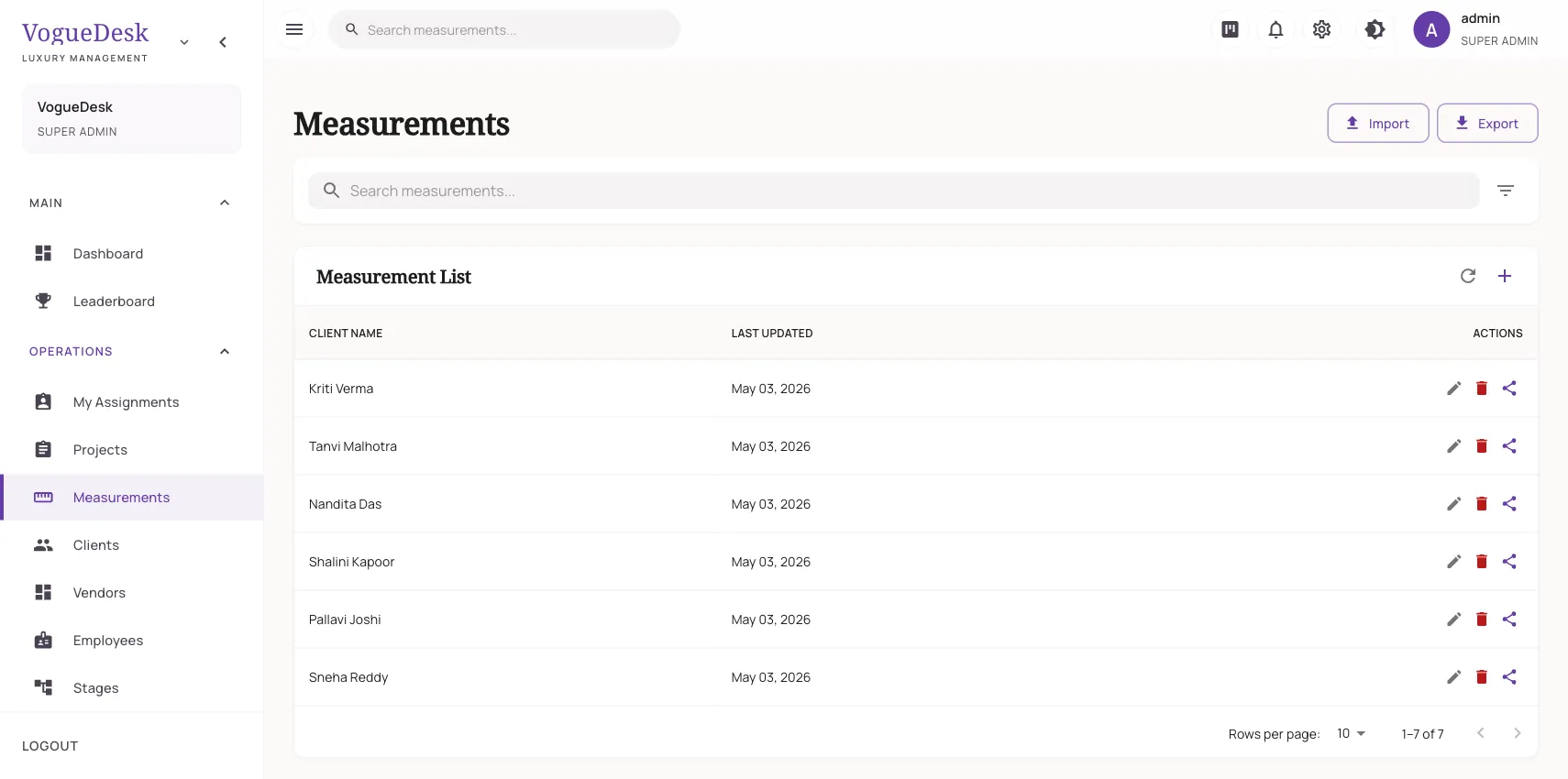
In VogueDesk, measurements live inside the client’s profile. Search the client’s name, open the profile, and every set you have taken for her is listed with its date.
What you can record
VogueDesk has a fixed list of about 30 fields that cover what Indian boutiques stitch every day:
| Garment area | Fields |
|---|---|
| Upper body | length, upper chest, bust, waist, stomach, cross front, cross back, shoulder, armhole |
| Sleeves and neck | sleeve length, sleeve round, neck front, neck back |
| Blouse details | blouse length, dart point, yoke |
| Lower body | low waist, hips, bottom length, waist-to-knee, upper thighs, lower thighs, knees, calf, ankle |
| Long garments | gown length, petticoat length, full skirt length, belt round, slit |
| Anything else | notes |
The fields are fixed, so every master reads the same names. Anything unusual, like “client prefers loose fit at the armhole”, goes in notes.
Named, dated measurement sets
Bodies change, and so do styles. Instead of overwriting old numbers, VogueDesk lets you keep several sets per client. Give each one a clear name, such as “Blouse – Oct 2026” or “Sherwani – Wedding”, and it is saved with its date. When the client returns after a year, you can compare the new set with the old one before cutting.
You can also set a preferred master on each set. If one cutting master always handles a client’s bridal blouses, that preference stays with her measurements.
How it works in VogueDesk
- Add the client with her name and phone number, or find her if she already exists.
- Create a measurement set, give it a name, and fill in the fields you need.
- Pick the preferred master if you have one.
- Attach the set to an order when you book the garment, so the karigar sees the right sizes.
- Share the set with a public link if the client or an outside master needs it.
Moving from your old register or Excel sheet
If your measurements are already in Excel, you do not have to type them again. Save the sheet as CSV and upload it, and the import analyser reads your column headings and suggests which VogueDesk field each one maps to. You check the matches and any clashes with existing clients, then import. If your data is in Tally, Zoho or Odoo, see import from Tally and Excel.
For help taking measurements correctly, our guides cover the blouse measurement chart, the salwar kameez measurement chart and the lehenga measurement chart.
Who it is for
- Ladies tailors and darzis who take blouse, kurti and salwar measurements all day.
- Boutiques with more than one master, where everyone needs the same numbers.
- Bridal and lehenga studios that do several trials and need each set dated.
- Home boutiques that want to stop losing slips and notebooks.
Works on the phone in your hand
There is nothing to download. VogueDesk opens in the browser on Android phones, iPhones, tablets and computers, so you can take measurements at the counter on a tablet and the master can read them on her phone in the cutting room.
Plans
The Free plan (₹0) includes unlimited clients and measurements, with one login and 30 orders a month. Boutique (₹499/month + GST) adds 3 logins and 300 orders a month, and every new account gets a 14-day free trial of Studio with no card needed. See pricing for the full list.
Measurements connect to the rest of your shop too. Book garments on the same client in order management, and keep her history in the boutique CRM.
Frequently asked questions
Can I save more than one set of measurements for the same client?
Yes. Each client can have several measurement sets, each with its own name and date, such as "Blouse – Oct 2026" and "Lehenga – Wedding". Old sets stay on record when you add a new one.
Which measurement fields does VogueDesk have?
About 30 fixed fields, including length, upper chest, bust, waist, hips, cross front, cross back, shoulder, armhole, sleeve length and round, neck front and back, blouse length, dart point, gown length, petticoat length, slit, yoke and a notes box. The field list is fixed, so use notes for anything extra.
Do I need to install an app from the Play Store?
No. VogueDesk works in the browser on Android phones, iPhones, tablets and computers. You open your boutique's own web address and sign in.
Can I move my old measurements from Excel into VogueDesk?
Yes. Save your Excel sheet as CSV and upload it. The import analyser helps match your column names to VogueDesk's fields, and you review the matches before anything is saved.
Can I send a client their measurements?
Yes. Any measurement set can be shared through a public link, so the client or another master can view it without logging in.
Last updated 31 October 2026.